5%
CPU LOADHealthy4 cores · 1% system
Native Synology control for Mac and Windows
Discover, connect to, and manage your NAS devices from one focused desktop console. Files, photos, media, users, packages, Docker, logs, and live health—without a SynoHub account.
 SynoHub PRO
437 KB/s 385 KB/s
SynoHub Pro SERVER CONSOLE
Studio NVR · online
Encrypted local session · v2.1.0
SynoHub PRO
437 KB/s 385 KB/s
SynoHub Pro SERVER CONSOLE
Studio NVR · online
Encrypted local session · v2.1.0
01 / THE REMOTE SUITE
Built around the jobs that matter: finding servers, seeing their health, and working with data without jumping between browser tabs.
Scan the active Wi-Fi and Ethernet network, identify available Synology servers, choose one, and enter its DSM credentials in a focused connection popup.
Browse folders, upload, download, rename, move, copy, share, and remove files through a familiar desktop file manager.
Open personal and shared spaces, browse timelines and albums, preview photos and videos, manage favourites, and organise your library remotely.
Watch CPU, memory, storage, network throughput, volumes, temperatures, drive health, and S.M.A.R.T. state in a live server console.
See installed packages and containers, inspect their state, and start, stop, restart, install, or remove them from the same workspace.
Manage accounts and permissions, review connection history, and investigate server events without leaving the app.
02 / CONNECT IN MINUTES
SynoHub Pro keeps setup short and transparent. Your DSM account remains the authority; the app becomes the remote interface.
Open Add Server and scan the current local network.
Select a server and enter its DSM credentials, including 2FA when required.
Manage files, photos, services, users, media, and system health.
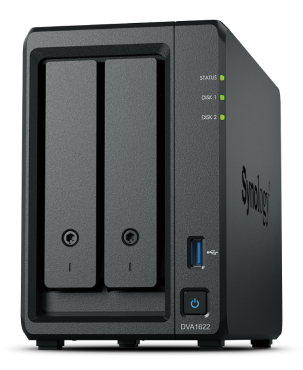 Synology NASDSM API
03 / LOCAL-FIRST BY DESIGN
SynoHub Pro requires no Google login, SynoHub account, or subscription. Saved DSM credentials are encrypted locally and used to connect directly to the server addresses you configure.
04 / PLATFORM ROADMAP
The current release supports Windows x64 plus Apple Silicon and 64-bit Intel Macs. Mobile companions are on the roadmap.
Native desktop releases for Apple Silicon and Intel.
Native x64 installer for Windows 10 and Windows 11 PCs.
Windows x64 ↓Server visibility and essential controls on the go.
A focused mobile companion for iOS.
05 / QUESTIONS
Everything you need to know about the current free desktop release.
Ready to start? ↓Yes. The current Mac and Windows releases are free downloads with the available management features unlocked and no SynoHub subscription required.
No. The app opens directly in local mode. You only enter the DSM credentials needed to access each Synology server.
Choose the Apple Silicon build for M1, M2, M3, M4, and later Apple chips. Choose the Intel build for 64-bit Intel Macs running macOS 10.13 or later.
Choose the Windows x64 installer for 64-bit Intel or AMD PCs running Windows 10 or Windows 11. The current build is unsigned, so Microsoft Defender SmartScreen may ask you to confirm the installation.
Yes. Add Server scans active local Wi-Fi and Ethernet networks for Synology DSM services. You can also enter a server address manually.
Yes. SynoHub Pro includes a dedicated Photos workspace for browsing personal and shared libraries, timelines, albums, photos, and videos.
Saved DSM credentials are encrypted locally on your computer. DSM permissions continue to control what each account can see and manage.
SYNCHRONISE YOUR INFRASTRUCTURE
Download SynoHub Pro for free and bring your Synology NAS devices into one modern Mac or Windows workspace.
Mac users: Open Apple menu → About This Mac. “Chip” means Apple Silicon; “Processor” means Intel. Windows users should choose Windows x64.
9288f81363b0c3e92d054f62c60d89ed32bd4ed0b98286d716d470f4d3a4fab833c318c86b2164dbf847333cea93a38a6d13e3086e687fcebd850162ded873743bb53494e6c6394d4eee721fa058bb21aa34925dfcfda736e56220ceabf3efc5