Reusable voucher valueDeduct only the amount redeemed and retain the remaining balance.
Available
AmeliaExtension - Voucher
Reusable fixed-amount voucher balances for Amelia.
One-site licence£14.95one-time
Purchase licence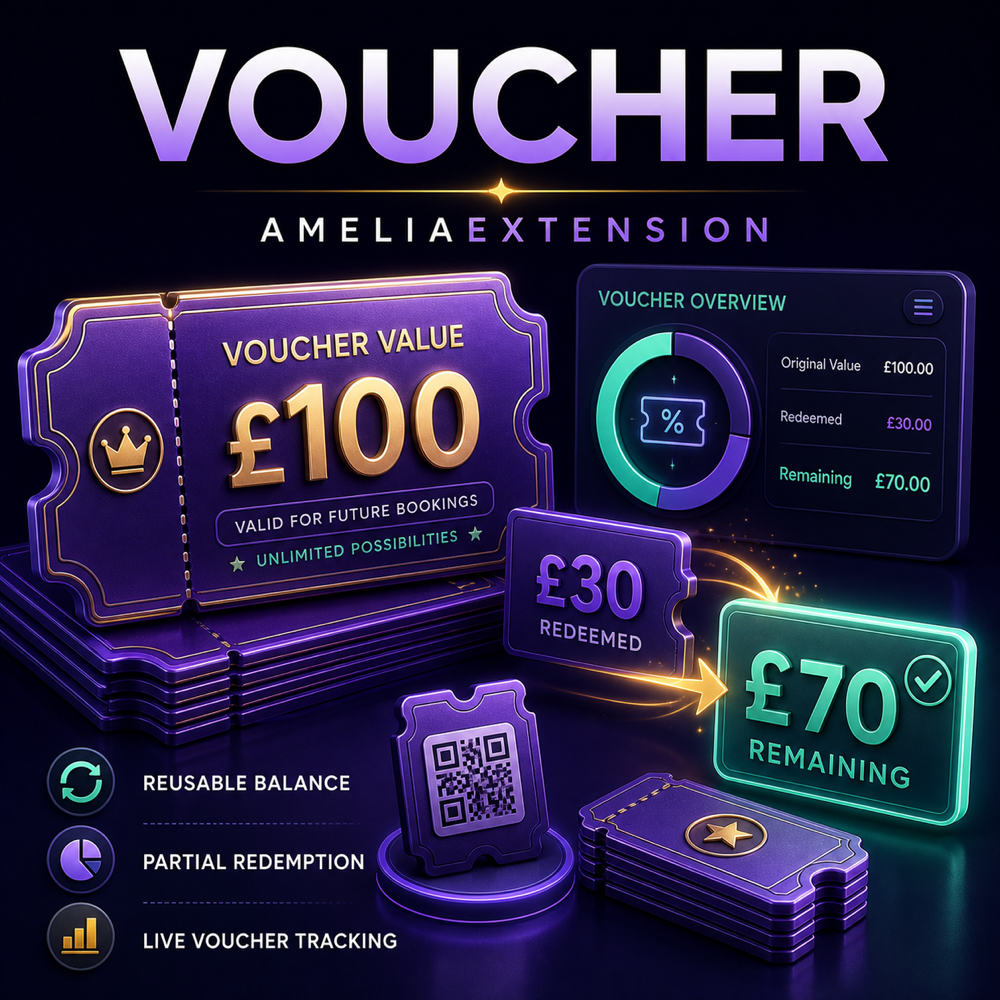
Amelia integratedWorks through Amelia fixed-amount coupons without modifying Amelia core files.
Protected redemptionUsage history and idempotency controls help prevent duplicate deductions.
Reusable fixed-value vouchers, built for Amelia
Screenshots
1 pictureAmeliaExtension - Voucher
Turn Amelia fixed-amount coupons into reusable, balance-based voucher codes.
AmeliaExtension - Voucher adds professional voucher management directly to the Amelia Booking system. Instead of using a fixed-amount coupon only once, the extension treats its value as a remaining balance that can be redeemed across multiple eligible bookings.
For example, when a customer uses a £100 voucher toward a £30 booking, only £30 is redeemed and the voucher automatically retains a £70 remaining balance for future bookings.
The extension operates as a separately installed WordPress plugin and does not replace or modify Amelia core files.
Screenshot:

How voucher balances work
Reusable Voucher Balances
Every eligible fixed-amount Amelia coupon can operate as a reusable voucher. The extension calculates the amount actually covered by the voucher and deducts only that amount from its remaining balance.
- Supports partial voucher redemption.
- Automatically updates the remaining voucher balance.
- Never deducts more than the booking requires.
- Never allows the voucher balance to fall below zero.
- Allows the remaining balance to be used on future eligible bookings.
- Uses Amelia's active website currency.
Example
- Original voucher value: £100
- First booking redeemed: £30
- Remaining balance: £70
- Second booking redeemed: £50
- Final remaining balance: £20
Fixed-Amount Coupons Only
Voucher behaviour is applied only to pure fixed-amount Amelia coupons:
- The percentage discount must be set to 0%.
- The fixed deduction must be greater than zero.
Percentage coupons remain completely unchanged and continue to work through Amelia normally. Mixed percentage and fixed-amount coupons are also left unchanged.
Modern Voucher Dashboard
The extension adds a dedicated Amelia > Vouchers section to the WordPress administration area. The responsive voucher-style interface blends into the Amelia system and provides a clear overview of the complete voucher operation.
The dashboard includes summary widgets for:
- Total Coupon Vouchers – the number of voucher coupons currently in the system.
- Total Remaining Worth – the combined available balance of all voucher coupons.
- Expired Coupons – vouchers that have passed their expiration date.
- Active Coupons – vouchers currently available for redemption.
- Updates – displays whether the extension is up to date or if a newer version is available.
A full-width catalogue link also provides quick access to other Amelia-compatible extensions developed by FreyGabor.com.
Create Voucher Coupons
Administrators can create new voucher coupons directly from the Voucher dashboard without opening Amelia's standard coupon manager.
Voucher creation options include:
- Unique voucher code.
- Starting voucher balance.
- Maximum number of total uses.
- Maximum uses per customer.
- Optional start date.
- Optional expiration date.
- Visible or hidden status.
- Service, event and package availability.
All voucher coupons are created through Amelia's coupon system, allowing Amelia to recognise and apply them during supported booking flows.
Service-Specific Vouchers
Voucher coupons can be made available across the business or restricted to selected Amelia services.
- Apply the voucher to all services.
- Select one individual service.
- Select multiple individual services.
- Enable the voucher for Amelia events.
- Enable the voucher for Amelia packages.
- Combine supported service, event and package availability.
This makes it possible to create promotional, departmental or service-specific vouchers without giving access to every bookable item.
Voucher Management
The Coupon Vouchers table provides administrators with a central place to inspect and manage voucher coupons.
Each voucher can display:
- Voucher code and Amelia coupon ID.
- Current remaining balance.
- Total redeemed value.
- Current and maximum number of uses.
- Active, scheduled, expired, depleted or hidden status.
- Start and expiration dates.
- Applicable services, events and packages.
- Any balance currently reserved for a pending payment.
Administrators can safely remove vouchers from Amelia. A voucher with a pending payment reservation cannot be deleted until the payment is completed, failed or reconciled. Existing usage history is preserved after deletion.
Search, Filter and Sort
The dashboard is designed to remain manageable as the number of vouchers increases.
- Search by voucher code.
- Filter by active, expired, depleted, scheduled or hidden status.
- Sort by voucher name or code.
- Sort by number of uses.
- Sort by status.
- Sort by remaining balance.
- Sort by expiration date.
- Sort by newest voucher.
- Choose ascending or descending order.
The first 20 vouchers are loaded initially. Selecting Load 10 More adds the next ten matching vouchers to the existing table without numbered pagination. Search, filter and sorting selections remain active while additional vouchers are loaded.
Detailed Voucher Usage History
The Recent Voucher Usage History provides administrators with a traceable financial record of voucher activity.
History information includes:
- Date and time of the transaction.
- Voucher code and coupon ID.
- Customer email address.
- Related booking or purchase reference.
- Amount redeemed or reserved.
- Voucher balance after the transaction.
- Reserved, redeemed, restored or reconciliation status.
- Payment gateway and payment status.
This makes it easier to answer customer questions and investigate when, where and by whom a voucher was used.
Payment Reservation Protection
For payment gateways that complete asynchronously, the voucher amount is temporarily reserved when Amelia creates the booking. This prevents the same balance from being spent by two simultaneous checkout sessions.
- Successful or partially paid payments finalise the redemption.
- On-site payment bookings are treated as successful bookings.
- Failed or deleted pending bookings automatically restore the reserved amount.
- Pending reservations can be manually reconciled from the Voucher dashboard.
- Scheduled background reconciliation checks delayed gateway updates.
Duplicate Deduction Protection
The extension includes transaction locking, unique operation references and an independent voucher ledger. If Amelia or a payment gateway sends the same booking or payment notification more than once, the extension recognises the existing operation instead of deducting the voucher again.
This protection helps prevent:
- Duplicate voucher deductions.
- Simultaneous overspending of the same voucher.
- Negative remaining balances.
- Repeated payment callback errors.
- Loss of reserved balance after a failed payment.
Licence Management
AmeliaExtension - Voucher requires an active FreyGabor extension licence.
- Each licence can be activated on one production website.
- An additional licence is required for each additional production website.
- Administrators can validate the licence from the Voucher dashboard.
- The registered website can be deactivated when moving the licence to another eligible website.
- Signed licence responses protect activation and update communication.
- A configurable offline grace period helps prevent temporary licence-server interruptions from immediately stopping the extension.
If the licence is expired, suspended, revoked or otherwise inactive, voucher deductions pause safely. Existing balances and usage history are not deleted.
Private WordPress Updates
Customers with an eligible active licence can receive extension updates through the standard WordPress plugin update system.
- The Updates widget displays All Up to Date when the latest release is installed.
- When a newer release is available, the widget displays Update Available and the latest version number.
- The Check for Updates Now button performs an immediate update check.
- WordPress administrator notices can report newly available versions.
- Authorised update packages are delivered only to eligible licence activations.
- Update information is securely signed and verified.
Data and Uninstall Safety
- Deactivating the extension does not change voucher balances.
- Deactivating the extension does not delete usage history.
- Uninstalling preserves extension data by default.
- The extension never modifies or deletes Amelia core files.
- Voucher usage history is preserved when an individual voucher is deleted.
Supported Booking Types
The extension includes integration for supported Amelia booking and payment flows, including:
- Appointments created through the normal frontend booking flow.
- Amelia API AddBooking flows.
- Events and event tickets.
- Packages.
- Recurring booking flows.
- WooCommerce checkout integration.
- On-site payments.
- Supported online payment gateways recorded through Amelia.
System Requirements
- Extension Latest version: 1.5.0
- Tested Amelia version: 9.6.3 - 9.7
- WordPress: 6.2 or later
- PHP: 7.4 or later
- Database: MySQL or MariaDB with named-lock support
- Licence: Active FreyGabor licence for one production website
- Required plugin: Amelia Booking
Important: AmeliaExtension - Voucher performs an exact compatibility check. If an untested Amelia version is detected, voucher balance mutations pause automatically and the original Amelia coupons remain untouched. This protects voucher balances if Amelia changes its internal pricing or booking system.
Important Behaviour and Limitations
- Only pure fixed-amount coupons are converted into balance-based vouchers.
- Percentage and mixed percentage/fixed coupons remain standard Amelia coupons.
- Currency conversion and cross-currency voucher balances are not included.
- A completed redemption is not automatically credited back after a later cancellation or refund. Any refund-related voucher credit should be handled manually.
- Failed pending payments are restored automatically before redemption is finalised.
- Manual changes to an Amelia coupon's fixed deduction are treated as authoritative balance changes.
- WordPress cron should operate correctly for delayed payment reconciliation and scheduled update checks.
- Direct legacy administrator Add Appointment and Add Event screens do not provide the same pre-booking pricing hooks and are not supported for voucher redemption in version 1.5.0.
- Future Amelia versions must be compatibility-tested before voucher deductions are enabled for those versions.
Why Choose AmeliaExtension - Voucher?
- Transform existing Amelia fixed coupons into reusable vouchers.
- Keep percentage coupons working normally.
- Manage vouchers directly inside the Amelia administration area.
- Restrict vouchers to specific services or multiple services.
- Track customer email addresses and complete usage history.
- Protect balances against duplicate and simultaneous deductions.
- Handle pending online payments safely.
- Receive private extension updates through WordPress.
- Preserve Amelia core files for safer future maintenance.
Developer and Support
AmeliaExtension - Voucher is developed and maintained by FreyGabor.com.
If you need assistance with installation, licence activation or voucher operation, contact hello@freygabor.com.
Copyright © 2026 Frey Gabor. All rights reserved.